
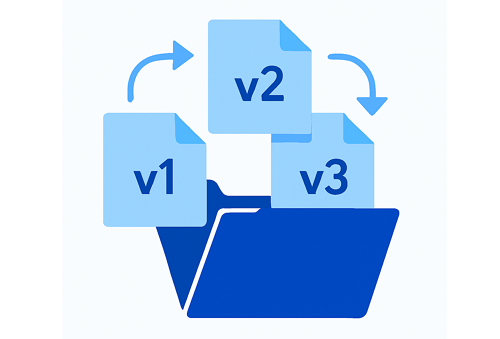
Managing files isn’t just about uploading and downloading. For professionals and teams, it’s about keeping track of versions, updates, and changes without losing critical information. That’s where DDownload becomes more than a simple file host—it becomes a tool for organization, efficiency, and secure collaboration.
Why File Version Management Matters
When multiple people work on the same document, things can get messy fast. Accidentally using an outdated version can lead to mistakes, lost data, or wasted hours. With DDownload, version control keeps everything clear and easy to access.
Benefits of Version Management with DDownload:
- ✅ Clarity: Always know which file is the most recent.
- ✅ Backup Safety: Older versions stay accessible in case you need to roll back.
- ✅ Collaboration-Friendly: Teams avoid confusion with structured updates.
- ✅ Efficiency: Less time wasted searching through renamed files like “report-final-v3-revised.”
How DDownload Helps You Stay Organized
DDownload includes features that simplify version tracking and update management. Instead of manually renaming files, you can rely on the platform’s built-in options.
Here’s a quick look:
| Feature | How It Helps | Example Use Case |
|---|---|---|
| File History | Keeps older versions available | Restoring an earlier draft of a presentation |
| Timestamping | Automatic date and time tags | Tracking progress for project updates |
| Folder Organization | Structure files by project or team | Keeping design drafts separate from final assets |
| Secure Access | Control who can view or update files | Sharing with clients without risking edits |
Pro Tips for Managing Updates on DDownload
To get the most from DDownload’s version control features, follow these practical tips:
- Create Dedicated Folders: Group versions by project or client to avoid clutter.
- Label Strategically: Even with timestamps, adding short descriptions helps.
- Set Permissions Wisely: Limit edit or upload rights to reduce mix-ups.
- Use Backups: Keep essential final versions stored separately for added safety.
Making File Management Smarter
Strong file versioning is a game-changer for both solo users and teams. By using DDownload’s structured tools, you’ll not only avoid errors but also streamline how you work across multiple projects.
And if you want to understand how DDownload compares to industry giants, exploring a cloud storage comparison can highlight why it’s an efficient alternative for modern users. Check out this detailed guide on DDownload vs Google Drive vs Dropbox to see the bigger picture.


