
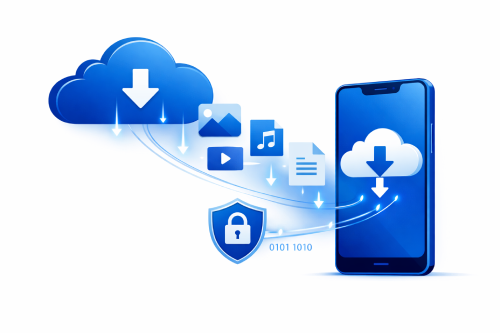
Remote work, travel, and flexible schedules have changed how people manage digital files. Access to documents, videos, and archives is no longer limited to desktop computers. With DDownload, users can download, upload, and manage files directly from a smartphone or tablet, making it easy to stay productive on the go.
Mobile access has become essential for students, professionals, and content creators who need quick access to files outside the office or home.
Why Mobile File Access Matters
Modern workflows often involve multiple devices. Cloud storage platforms allow files to remain accessible no matter where the user is working.
Common scenarios where mobile access helps:
- Downloading documents during travel
- Sharing files quickly with coworkers or clients
- Accessing media files without a laptop
- Managing uploads while away from a desk
Mobile-friendly file hosting helps reduce delays and keeps projects moving forward.
How to Use DDownload on Mobile Devices
Accessing files through a smartphone is simple because most modern mobile browsers fully support cloud file hosting platforms.
Quick step-by-step guide:
- Open a mobile browser such as Chrome, Safari, or Firefox
- Visit the DDownload website
- Log into your account
- Navigate to your uploaded files or a shared download link
- Start the download or copy the link to share
Most devices automatically store downloaded files in the phone’s download folder, making them easy to locate later.
Free vs Premium Mobile Experience
Account type can influence performance when downloading large files on mobile networks.
| Feature | Free Account | Premium Account |
|---|---|---|
| Download Speed | Standard | Faster |
| Waiting Time | Possible | None |
| Parallel Downloads | Limited | More available |
| Mobile User Experience | Good | Optimized |
Premium access can make a noticeable difference for users who frequently download large files while traveling.
Tips for Smoother Mobile Downloads
Mobile connections can fluctuate depending on location and network quality. A few practical habits can improve download stability.
Helpful tips:
- Use Wi-Fi instead of mobile data for large files
- Check available device storage before downloading
- Keep your mobile browser updated
- Avoid running many downloads at the same time
These small adjustments often prevent interruptions and incomplete downloads.
Final Thoughts
Mobile cloud access makes file hosting far more convenient. DDownload allows users to retrieve important files, share links, and manage downloads directly from a smartphone or tablet without complicated setup.
Security remains just as important as convenience when accessing files online. A deeper explanation of how cloud encryption protects stored files can be found in this related guide about DDownload encryption file protection.


